Summary
Editor's rating
Value for money: not cheap, but you do get a lot of watch
Looks: sporty, neutral, and doesn’t scream “tech toy”
Battery life: finally a watch that doesn’t live on the charger
Comfort: good overall, but the back bump and strap have quirks
Durability: handles daily abuse, but the screen can scratch
Health and sports performance: very good, with a few oddities
What the Venu 3 actually offers in real life
Pros
- Battery life of roughly 7–10 days in real use, even with regular workouts and sleep tracking
- Strong health and fitness features: GPS, HR, sleep score, HRV, stress, Body Battery, and many sport profiles
- On-wrist calls, voice replies, and offline music make it usable without your phone during workouts
Cons
- Back sensor bump can be uncomfortable if the strap is worn tight, especially on bony wrists
- Screen glass can scratch from metal contact; a protector is almost mandatory if you’re rough on gear
- Occasional sync/notification issues that may require resetting the app and re-pairing

Specifications
View full product page →| Brand | Garmin |
A smartwatch that doesn’t beg for a charger every night
I’ve been using the Garmin Venu 3 (45 mm, Whitestone) as my daily watch for a while now, coming from more classic WearOS and Huawei watches. I wanted something that could track my runs, my sleep, and my general health without forcing me to charge it every single night. On paper, the Venu 3 promised up to 14 days of battery life, proper health stats, and the bonus of calls and music on the wrist. So I went in with fairly high expectations but also a bit of skepticism.
In daily life, this watch feels very much like a “health first, smart stuff second” product. If you’re used to full-blown smartwatch systems like Google’s WearOS or Apple Watch, you immediately see that Garmin is more focused on sports, recovery, and metrics than fancy apps. That can be a good or bad thing depending on what you want. For me, I mainly care about tracking runs, walks, sleep, stress, and not missing important notifications, so the trade-off makes sense.
From the first few days, what stood out was the battery life and the screen readability. The AMOLED display is bright enough indoors and outdoors, and the watch doesn’t feel like a brick on the wrist. I wore it at work, for workouts, for sleep, and even in the shower and pool. It held up fine in all those situations. I didn’t feel the need to baby it, which is good because I’m not careful at all with gear.
It’s not perfect though. Some things annoyed me: the back bump of the watch can dig into the wrist if you wear it tight, the stock silicone strap is a bit cheap-feeling, and some of the recovery metrics feel a bit off if your daily life is physically demanding outside of workouts. But overall, if what you want is a health and fitness tracker with actual smartwatch features and multi-day battery, this sits in a pretty solid spot.
Value for money: not cheap, but you do get a lot of watch
In terms of price, the Venu 3 sits in the higher mid-range of smartwatches. It’s more expensive than basic fitness bands and some cheaper smartwatches, but still under the top-end Fenix or Epix models. So the question is: do you get enough for what you pay? I’d say yes if you actually use the health and sport features; no if you mainly want notifications and a pretty screen. If all you need is step counting and simple notifications, there are cheaper options that will do the job just fine.
What you’re really paying for here is the mix of solid battery life, proper sports tracking, detailed health metrics, and some smartwatch comfort features (calls, music, notifications). Compared to older Venu models, you get more functions, better coaching, and still strong battery. Compared to WearOS watches at a similar price, you lose the app store and deeper integration, but you gain battery life and more serious training tools. For someone who runs, trains, and cares about sleep and stress, that trade-off feels fair.
There are a few things that slightly hurt the value in my eyes: the average strap, the screen that can scratch, and the occasional sync hiccup that required a full app reset. None of these are deal-breakers, but when you’re paying this much, you kind of expect not to deal with that stuff. On the flip side, the regular software updates and the depth of Garmin Connect add long-term value; the watch actually gets better over time instead of being abandoned.
So in plain terms: if you’re going to use the Venu 3 for daily training, sleep tracking, and health monitoring, the price makes sense and feels justified. If you’re a casual user who just wants a nicer-looking step counter, it’s probably overkill and you’d be paying for features you won’t really touch. For active people who don’t want to charge every day and like data, it’s a good value, even if not cheap.
Looks: sporty, neutral, and doesn’t scream “tech toy”
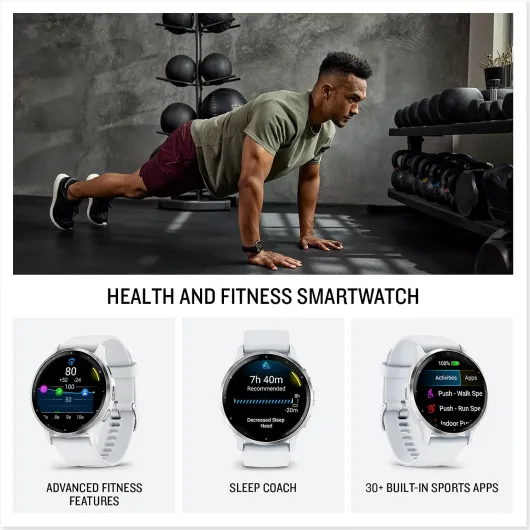
Design-wise, the Venu 3 is pretty straightforward. The 45 mm size on my wrist feels balanced: it’s not tiny, but it doesn’t look like a diving computer either. I’ve got average wrists, and it sits nicely under a hoodie or shirt cuff without catching on everything. The Whitestone color is a light beige/white that feels more neutral than pure white; it goes fine with casual clothes and workout gear. If you’re into flashy, this isn’t that. It’s more “quietly sporty.”
The AMOLED screen is the star here. It’s sharp, bright, and watchfaces look clean. Outdoors in sunlight, I didn’t struggle to see my pace or heart rate, as long as brightness wasn’t set too low. Indoors it auto-dims enough not to blind you at night. You can also use an always-on display mode, but that obviously eats more battery. The bezels are there, it’s not edge-to-edge like a smartphone, but after a few days I didn’t even notice them.
The watch has three physical buttons on the side plus the touchscreen. Once you learn what the buttons do (start/stop, back, and a shortcut/menu), it actually makes workouts easier, because you don’t have to rely on swiping with sweaty fingers. During runs and HIIT, I barely touch the screen and just use buttons, which is way more reliable. The interface itself is functional: not flashy, but clear. Some menus feel a bit dated compared to Apple or Samsung, but it’s all usable and logically laid out once you get used to Garmin’s style.
In terms of overall look, it’s more fitness watch than fashion watch. It’s fine for the office if your dress code isn’t ultra formal, but it’s not going to replace a classic analogue watch for a suit. If you’re okay with a sporty look on your wrist all day, the Venu 3 fits that role well. It’s not ugly, it’s not particularly stylish either; it’s just practical and low-key, which I personally prefer for something I wear 24/7.
Battery life: finally a watch that doesn’t live on the charger
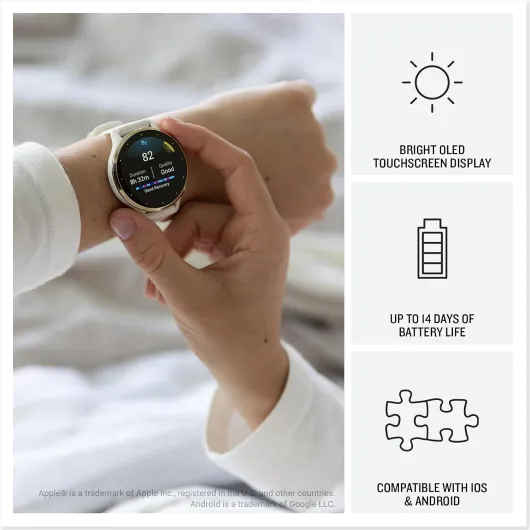
Battery life is one of the main reasons to pick a Garmin over a WearOS or Apple Watch, and the Venu 3 does a good job here. The official claim is up to 14 days in smartwatch mode. In real life, with always-on heart rate, sleep tracking, notifications, some GPS workouts, and the screen at a sensible brightness, I was getting around 7–10 days per charge. If you hammer the GPS every day or use the screen at max brightness with always-on display, you’ll be closer to the lower end. But even then, needing to charge once a week is already a big step up from watches that barely last 24–48 hours.
Compared to the smartwatches I used before (WearOS stuff, Fossil, etc.), this is just less mental load. I’m not thinking “did I plug my watch in?” every night. I mostly top it up when I’m sitting at my desk or on a lazy evening. For people who travel or hate cables, this matters. One user even said they only take it off once every 7 days to recharge; that matches my experience pretty closely when I don’t overdo GPS activities.
Charging itself is fairly quick. You get a USB-C cable in the box that connects to Garmin’s proprietary port on the watch. The annoying bit is the other end is USB-C, and a lot of older chargers still have USB-A. I had to either use a newer brick, buy a small adapter, or piggyback off my phone charger. The cable is also short (around 30 cm), which is a bit stingy, so I ended up using a USB-C coupler and a longer cable. Once sorted, it’s fine, but out of the box it’s slightly annoying.
Overall, battery life is one of the strongest points of the Venu 3. If you’re coming from a watch that dies every day, this alone makes daily life easier. It’s not a solar Fenix that lasts forever, but for something with an AMOLED screen, calls, and GPS, getting a week or more per charge is pretty solid. Just be ready to either use a USB-C charger or get a small adapter so you’re not stuck when travelling.
Comfort: good overall, but the back bump and strap have quirks
Comfort is usually what decides if I keep a smartwatch on long-term or throw it in a drawer. With the Venu 3, overall comfort is good, but there are a couple of things worth mentioning honestly. First, the watch is light: around 45 g, which on the wrist feels lighter than many metal or bulky GPS watches. I wore it all day, during workouts, and for sleep without feeling like I had a weight strapped to my arm. For sleep, you still notice it, but it’s not annoying enough to take off, at least for me.
One issue I did run into, and I’m not alone in this, is the pronounced bump on the back where the optical sensor sits. When I first wore the watch fairly tight (like I usually do for sports watches), I started to feel a weird discomfort up my left arm. It took me a bit to link it to the watch pressing into the top of my wrist. Loosening the strap by one notch basically fixed it, but that means the watch can move a bit more than I’d like during intense activity. It’s not a deal-breaker, just something to be aware of if you have bony wrists or are sensitive to pressure.
The stock silicone strap is okay but not great. It’s soft enough and easy to clean, but it doesn’t mold to your wrist like leather does. On my older Huawei with a leather strap, I could always find the exact same hole easily because the leather shaped itself over time. With silicone, it’s more fiddly, and you don’t get that “broken-in” comfort. The good news: it’s a standard quick-release strap, so you can easily swap it for leather, nylon, or something more breathable if you want.
For workouts, the strap holds fine, even when sweaty or swimming. I clean it in the shower, which keeps any skin irritation away. I didn’t get rashes or anything like that. If you’re planning to sleep with it every night, just expect a short adaptation phase. After a few nights, I kind of forgot it was there, except when I rolled my wrist into weird positions. Overall, comfortable enough for 24/7 wear, but not the most “disappears on the wrist” watch I’ve tried, mainly because of that sensor bump and the generic silicone strap.
Durability: handles daily abuse, but the screen can scratch
On durability, the Venu 3 feels well built but not indestructible. The case itself can take a bit of beating. I’ve knocked it against door frames, desks, and gym equipment without any major damage. Another user who works on construction sites mentioned hitting it on vans, walls, and rocks while digging, and only ended up with a tiny scratch and some paint stuck in the rim. So for general rough use, it holds up better than I expected for a mid-range smartwatch.
The weak spot is the screen glass. It’s fine for normal use, but it’s not some ultra-hard sapphire layer. I managed to get a small scratch from metal contact, and another user reported the same thing: one noticeable scratch after hitting something. It’s not catastrophic, but if you’re picky about a perfect screen, you’ll probably want to throw on a cheap screen protector early on. For a watch at this price, I would have liked slightly tougher glass, but it’s not terrible either, just something to be realistic about.
Water-wise, I’ve used it in the shower and pool without issues, and another user swam in the sea regularly with no problems. One person did mention killing a different brand watch (Huawei GT2) with too much swimming, which made them more cautious with the Venu 3. Personally, I’m comfortable swimming with it, but if you’ve had bad experiences before, I get why you’d be careful. Officially, it’s rated for swimming, not diving, so that’s the limit I’d stick to.
Strap durability is fine: the silicone doesn’t crack or peel with daily shower cleaning. Because it’s a standard quick-release, if it does wear out or you just hate it, you can replace it easily and cheaply. Also, Garmin is still pushing regular software updates, which matters for long-term use; bugs get fixed and features get tweaked. All in all, the Venu 3 feels like it should last several years if you’re not smashing it into steel every day. Just accept that the screen might pick up a scratch or two over time if you’re rough with it.
Health and sports performance: very good, with a few oddities
On the sports and health tracking side, the Venu 3 is where Garmin shows its experience. GPS lock is usually quick, and for my runs (around 5–10 km), distance and pace matched what I got from other devices and known routes. Heart rate during steady runs and walks tracks well, and even in interval training it keeps up reasonably, though like most wrist sensors it can lag a bit during very sharp changes. For casual to intermediate training, it’s more than good enough.
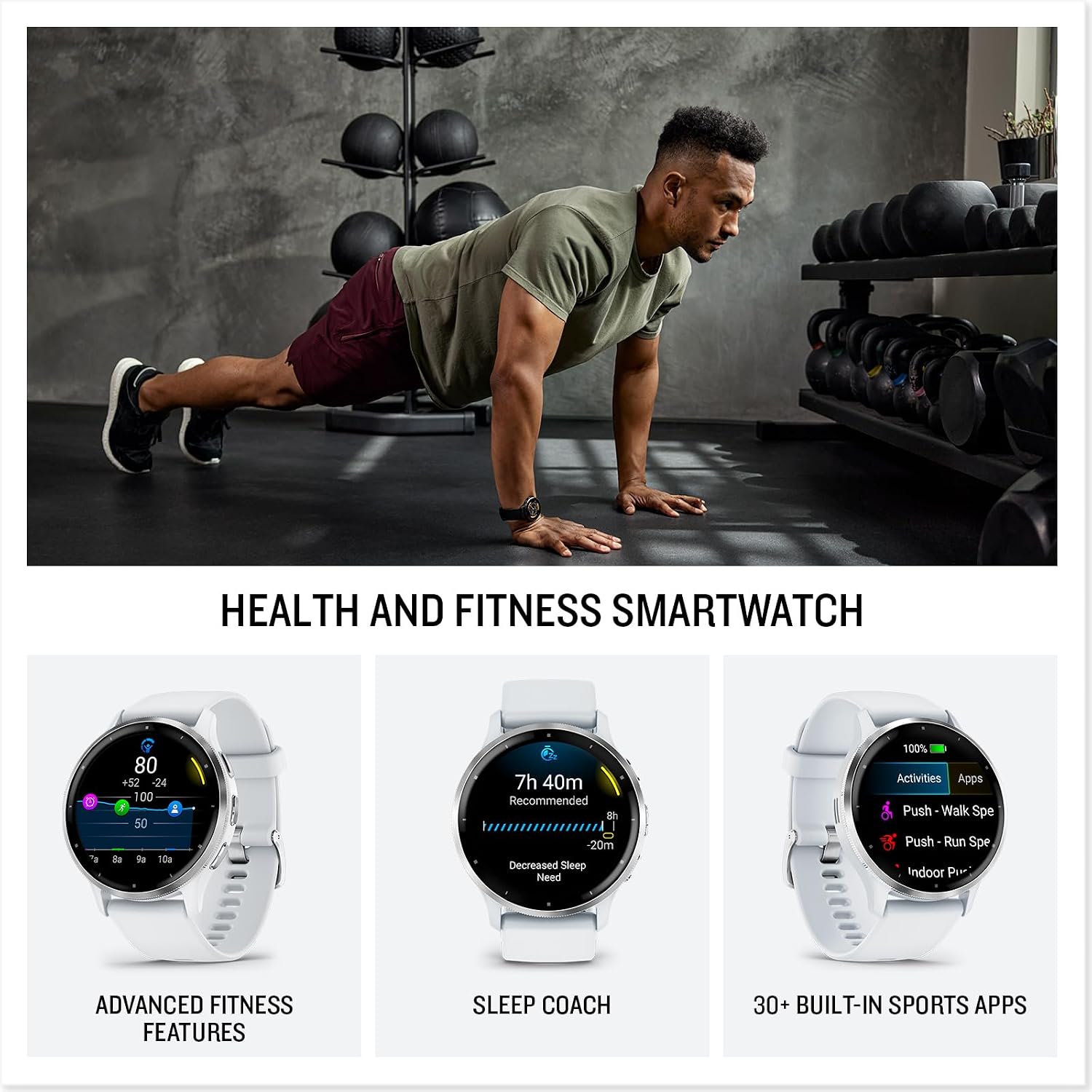
The watch comes packed with guided workouts: cardio, strength, HIIT, yoga, Pilates, etc., many with on-screen animations. These are handy if you don’t want to plan your own sessions. You can also build your own in the app (sets, reps, rest times), or use Garmin Coach plans for running. It’s not as slick as having a personal trainer, but for someone who wants structure without thinking too hard, it’s very practical. I found the workout benefit and training effect summaries after each session useful to quickly see if I mostly worked aerobic, anaerobic, etc.
The recovery time feature is where things feel less accurate. It gives you a predicted amount of time your body needs to recover after a workout. That’s fine if your life is mostly office work plus training. But if you have a physical job or you walk and lift a lot outside of tracked workouts, the recovery suggestion can feel a bit disconnected from reality. One user who works on sites and digs all day mentioned it being pretty off, and I agree: the watch doesn’t fully account for all your background effort unless you track absolutely everything as an activity, which nobody realistically does.
Where the watch shines is in continuous health tracking: sleep score, HRV, stress tracking, and Body Battery. Sleep stages themselves aren’t perfect (no watch is), but the overall picture is useful. If you’ve been sleeping 4–5 hours for years, seeing a low sleep score and low Body Battery in the morning is a good slap in the face. It helped me go to bed earlier more than once. Stress tracking is also interesting to see how your day is affecting you. So in terms of performance, for most people, it’s a very solid fitness and health tool, just don’t treat every metric as medical truth.
What the Venu 3 actually offers in real life
On paper, the Garmin Venu 3 is sold as a “wellness smartwatch” with GPS, AMOLED screen, calls, music storage, and up to 14 days of battery. In real use, I’d describe it more simply: a fitness watch that happens to also act like a smartwatch, not the other way around. You get over 30 sport profiles (running, walking, cycling, HIIT, swimming, golf, etc.), sleep tracking with a sleep score, HRV status, stress tracking, Body Battery, and a pile of health stats that you can easily drown in if you’re not careful.
The watch works closely with the Garmin Connect app. Every run, walk, nap, or random heart rate spike ends up logged there. Compared to some cheaper brands, the sync is mostly reliable, but I did run into one sync issue where notifications stopped coming through and I had to reset the app and pair everything again. Annoying, but it only happened once. When it works, it’s smooth: activities upload quickly, you can see all your graphs, and you can build or download workouts easily.
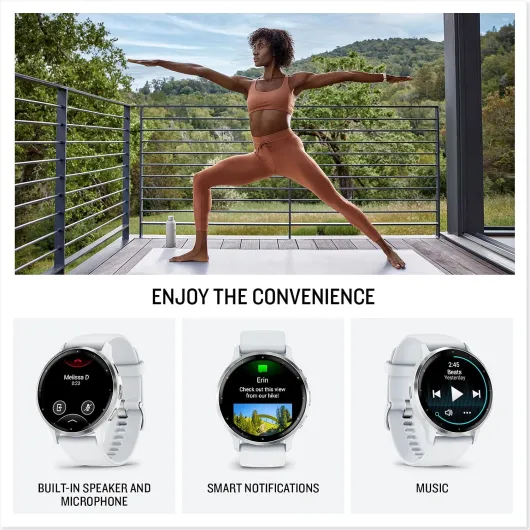
One thing I didn’t expect to use much but actually like is the on-wrist calls and voice replies. When your phone is in your pocket or in another room, it’s handy to answer a quick call from the watch. The speaker is not hi-fi, but it’s clear enough indoors and in a car. You can also use your phone’s voice assistant through the watch to reply to texts. On Android, you can even send texts directly from the watch. It’s not as polished as Apple’s ecosystem, but for a fitness brand, it’s decent.
The watch also supports offline music from Spotify, Amazon Music, or Deezer (with paid subscriptions). You download playlists to the watch and pair Bluetooth earphones. For runs, that means you can leave your phone at home. It’s not as fast as a phone when syncing songs, but once it’s done, it’s stable. Overall, the feature set is pretty full: there’s more than enough here for someone who wants both training tools and basic smartwatch functions without going down the app-store rabbit hole.
Pros
- Battery life of roughly 7–10 days in real use, even with regular workouts and sleep tracking
- Strong health and fitness features: GPS, HR, sleep score, HRV, stress, Body Battery, and many sport profiles
- On-wrist calls, voice replies, and offline music make it usable without your phone during workouts
Cons
- Back sensor bump can be uncomfortable if the strap is worn tight, especially on bony wrists
- Screen glass can scratch from metal contact; a protector is almost mandatory if you’re rough on gear
- Occasional sync/notification issues that may require resetting the app and re-pairing
Conclusion
Editor's rating
The Garmin Venu 3 is basically a health-focused smartwatch for people who actually move, not just sit at a desk and check emails. It tracks a ton of stuff: runs, walks, HIIT, sleep, HRV, stress, Body Battery, and more. The AMOLED screen is clear, the interface is practical, and the battery life is the real selling point: a week or more per charge in normal use, which is very hard to go back from once you’ve had it. You also get calls on the wrist, voice replies, and offline music, so it covers the main smartwatch basics without trying to be a tiny phone.
It’s not perfect. The back sensor bump can be uncomfortable if you wear it too tight, the stock silicone strap feels a bit basic, the screen can scratch if you’re clumsy, and some recovery metrics don’t always match real life if your job is already physically heavy. There can also be the odd sync glitch that needs a reset. But overall, the experience is reliable and consistent once everything is set up, and Garmin is still shipping updates, which helps.
I’d recommend the Venu 3 to people who: train several times a week, want proper sleep and health stats, and hate charging watches every night. It’s also a good pick if you’re coming from WearOS and are tired of the battery limitations. On the other hand, if you mainly want a watch for apps, contactless payments everywhere, or super deep phone integration, you’ll probably be happier with an Apple Watch or a Samsung Galaxy Watch. The Venu 3 is more for those who care more about fitness and battery than about running mini-apps on their wrist.