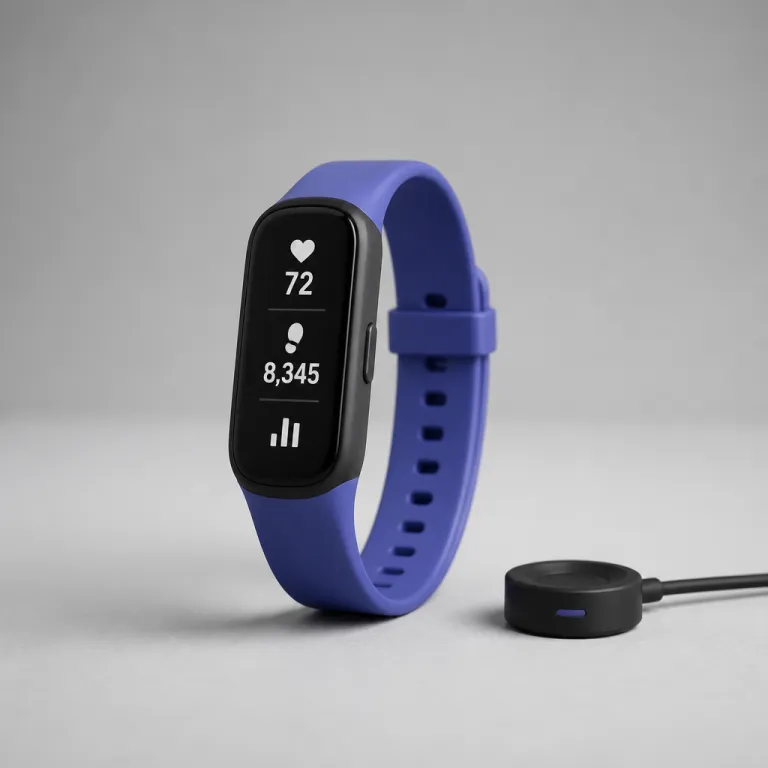
How to judge the best fitness tracker for seniors when you are buying for someone else
Choosing the best fitness tracker for seniors starts with one question. What will genuinely help this person move more, protect their health, and fit quietly into daily life rather than becoming another unused gadget in a drawer. When you shop as a spouse, son, or daughter, you are really buying peace of mind as much as a watch.
Think first about health rather than hardcore fitness metrics. A senior friendly tracker should prioritise clear heart rate alerts, reliable step counter accuracy, and simple activity and sleep summaries that translate into understandable health insights. VO2max graphs and advanced training readiness scores matter less than seeing whether daily activity and sleep tracking are trending in a safer direction.
Next, look at comfort and practicality on the wrist. Thinner skin and smaller wrists mean a lighter smartwatch or fitness tracker with a soft band and rounded edges will be worn more consistently, which is what actually improves health fitness outcomes. A device with a great app and powerful features still fails if the strap irritates or the watch feels heavy during sleep.
Battery life is the other non negotiable for older adults. A tracker that needs charging every day quickly becomes a chore, and missed nights mean gaps in sleep tracking and blood oxygen data. Aim for at least five days of real world battery life with heart rate monitoring always on and activity sleep tracking enabled, not just the optimistic marketing number on a product page or spec sheet.
Finally, be honest about tech confidence. Some seniors enjoy exploring every app menu and health feature, while others want one big button and a clear watch face. When in doubt, choose fewer but better tuned health features, such as dependable heart rate monitor alerts and straightforward blood pressure estimates, over a crowded smartwatch interface that overwhelms.
Health features that actually matter for older adults
For an older wearer, the best fitness tracker for seniors is less about counting every calorie and more about catching early warning signs. Continuous heart rate tracking with high and low rate alerts can flag infections, medication issues, or dehydration before they escalate. A good rate monitor should stay stable during everyday activity, not just at rest on the sofa.
Blood oxygen measurements, often labelled SpO2 or blood oxygen, are now common in fitness trackers and smartwatches. For seniors with sleep apnoea, heart failure, or lung disease, a reliable sleep tracker that logs oxygen drops during the night can provide health insights worth sharing with a clinician. Look for devices that show overnight oxygen trends clearly in the app rather than hiding them behind paywalled premium features, and cross check claims against manufacturer documentation or independent lab tests where available.
Blood pressure tracking on the wrist is still a work in progress. Some Galaxy Watch models and a few specialised trackers offer wrist based blood pressure estimates, but they require regular calibration with a proper cuff to stay useful. Treat these readings as directional health features, not as a replacement for a validated home monitor, especially when medication changes depend on accurate numbers.
Sleep tracking quality also matters more with age. A senior friendly sleep tracker should focus on simple messages such as total sleep time, time awake, and whether activity sleep patterns are improving, instead of colourful but unreliable sleep stage charts. When a watch or tracker claims to diagnose sleep disorders from the wrist alone, treat that as marketing rather than medical advice and look for peer reviewed studies or regulatory clearances before relying on it.
Finally, do not overlook everyday fitness metrics. A clear step counter, gentle movement reminders, and weekly activity summaries can nudge someone toward more walking without feeling like a lecture. If you want deeper context on calorie burn and activity patterns, a dedicated guide to top fitness trackers with accurate calorie counters can help you match features to specific health fitness goals.
Safety, fall detection and when a smartwatch should call for help
For many families, the tipping point toward buying the best fitness tracker for seniors is a fall or a near miss. Fall detection is now built into several mainstream smartwatches, but the way it behaves in real life matters more than the marketing bullet point. You want a watch that can tell the difference between a hard stumble and someone dropping it onto a sofa.
Apple Watch models from the SE line and the main watch series include fall detection that can call emergency services automatically if the wearer does not respond. In independent testing and early clinical style evaluations, these watches balance sensitivity well, triggering for genuine hard falls but rarely during normal activity or when clapping hands. For frailer seniors who live alone, that automatic call feature can be as important as any heart rate or blood oxygen metric.
Samsung Galaxy Watch devices also offer fall detection, though the default settings often need manual adjustment to become truly senior friendly. You may need to increase sensitivity and double check that emergency contacts are correctly stored in the app before trusting the system. The same applies to any smartwatch with fall detection, whether it is a Fitbit Sense, a Google Fitbit model, or a lesser known tracker bought on Amazon.
Remember that fall detection is only one part of a safety net. Irregular heart rhythm alerts, high or low heart rate warnings, and overnight oxygen drop notifications can all prompt earlier medical checks. When you compare options, weigh these health features together rather than chasing a single headline capability.
Comfort and style still matter, even with safety focused devices. A bulky Galaxy Watch or large Apple Watch may feel secure to you but awkward on a smaller wrist, especially for women or very slim seniors, so it is worth checking guides to the most comfortable smartwatches for smaller wrists. A watch that looks and feels good is more likely to stay on during showers, naps, and quiet evenings, which is exactly when fall detection and heart monitoring are most needed.
Display readability, app simplicity and subscription costs
Readable screens are non negotiable when you are choosing the best fitness tracker for seniors. Look for a bright always on display option, large fonts, and clear contrast between text and background so that time, heart rate, and step counter data are visible at a glance. Tiny icons and low contrast designs that look stylish in adverts can be frustrating for older eyes in real daylight.
Touch targets and buttons deserve the same scrutiny. A senior friendly smartwatch should offer big on screen buttons, a physical crown or side key, and simple swipe gestures that do not demand perfect finger precision. During testing and hands on reviews, we found that some slim fitness trackers looked elegant but forced users to tap repeatedly to reach basic health features, which quickly discouraged regular use.
The companion app is where many otherwise good fitness trackers fail older users. Some apps bury heart rate, sleep tracking, and blood oxygen graphs under layers of social feeds, badges, and upsell prompts, which can overwhelm someone who just wants to check last night’s sleep. When you set up a new tracker, spend time rearranging tiles so that health fitness data and activity sleep summaries appear on the first screen.
Subscription costs are another quiet trap. Several brands now lock advanced health insights, detailed sleep tracking, and long term trends behind monthly fees, which can be a burden on a fixed income. If you want to avoid ongoing charges, prioritise devices that keep core health features, such as heart rate alerts and oxygen trends, entirely free for the life of the watch.
Finally, think about ecosystem fit. An Apple Watch pairs best with an iPhone and integrates with Apple Health, while Google Fitbit devices and some Galaxy Watch models lean on Google Health and Google Fitbit services for data storage and sharing. Matching the tracker to the phone your parent already uses will make syncing, app updates, and emergency contact management far less stressful.
Real world battery life, comfort and durability on older wrists
Battery life claims on product pages often assume minimal use, but seniors tend to wear their devices continuously. When we talk about the best fitness tracker for seniors, we mean a watch or tracker that can handle 24 hour heart rate monitoring, regular step counter checks, and nightly sleep tracking without dying midweek. In practice, that usually means choosing models rated for at least seven days of battery life and then expecting five.
Always on displays, frequent oxygen readings, and constant Bluetooth connections to an app all drain the battery faster. Apple Watch and Galaxy Watch models with rich smartwatch features often need daily or near daily charging, especially if you enable fall detection, irregular rhythm alerts, and bright screens. Simpler fitness trackers from brands like Fitbit or Amazfit can stretch to a week or more, trading some smartwatch capabilities for longer life between charges; for example, recent Inspire and Charge models are typically rated for up to 7 days in manufacturer specs, while many Amazfit bands quote 10 to 14 days in mixed use.
Comfort is just as critical as endurance. Lightweight cases, soft silicone or fabric bands, and multiple sizing holes help a tracker sit snugly without pinching thinner skin or sliding around during activity sleep. Metal bracelets and stiff leather straps may look premium but can cause pressure points, especially for seniors with arthritis or circulation issues.
Durability matters because many older adults will wear their watch constantly. Look for water resistance that can handle showers and dishwashing, scratch resistant glass, and replaceable bands so that worn straps do not send an otherwise good tracker to a drawer. If your parent swims, it is worth checking independent tests such as this analysis of which watches actually track swimming accurately in open water before trusting pool or sea workouts.
To make comparisons easier, here is a concise snapshot of typical senior friendly options based on public manufacturer specifications and widely reported retail pricing at the time of writing:
- Fitbit Inspire / Charge series (basic trackers): usually advertised for up to 7 days of battery life, continuous heart rate tracking, simple sleep monitoring, and no fall detection; commonly found in the under 100 dollar bracket depending on sales.
- Amazfit Band and Bip style models (budget wearables): often quoted at roughly 10 to 14 days of mixed use on a charge, with step counting, heart rate, and basic SpO2 readings; typical street prices also sit below 100 dollars.
- Midrange Fitbit and Google Fitbit devices (for example, Versa or similar lines): generally rated for around 5 to 6 days of battery life with richer sleep insights and on wrist oxygen readings; prices tend to fall in the 100 to 200 dollar range.
- Apple Watch SE and main Apple Watch series (for iPhone owners): manufacturer estimates usually quote about 18 hours of battery life in standard smartwatch use, with fall detection, irregular rhythm notifications, and blood oxygen on some models; real world prices typically start above 200 dollars.
- Samsung Galaxy Watch models (for Android users): official figures often suggest roughly 1 to 2 days of battery life with full smartwatch features active, plus optional blood pressure estimation on certain versions after calibration; these watches also usually sit above 200 dollars at retail.
Finally, consider how the device ages in software terms. Apple, Google Fitbit, and Samsung typically support their watch series with security updates and new health features for several years, while some cheaper Amazon brands stop updating quickly. A tracker with solid long term support will keep improving its health insights and rate monitor algorithms, giving better value over the full life of the watch.
Specific recommendations by budget for senior friendly trackers
Under 100 dollars, focus on simple fitness trackers with strong battery life and clear displays. Devices like the Fitbit Inspire line or basic Amazfit bands offer reliable step counter performance, continuous heart rate monitoring, and straightforward sleep tracking without demanding a subscription. They lack advanced fall detection or blood pressure estimation, but they cover the core health fitness needs for many active seniors.
In the 100 to 200 dollar range, you start to see more robust health features and better build quality. Midrange Fitbit models and some Google Fitbit branded trackers add richer sleep tracker insights, more detailed activity sleep breakdowns, and sometimes on wrist oxygen readings for overnight monitoring. These devices often strike a good balance between smartwatch style notifications and the simplicity that a senior friendly interface requires.
Above 200 dollars, full smartwatches like the Apple Watch SE, main Apple Watch series models, and Samsung Galaxy Watch devices bring fall detection, irregular rhythm notifications, and deeper integration with Apple Health or Google Health. For an iPhone user, an Apple Watch with fall detection, high and low heart rate alerts, and blood oxygen tracking is often the most complete safety and health package. For Android users, a Galaxy Watch with strong rate monitor performance and optional blood pressure estimation can be compelling, though you should calibrate it carefully and manage expectations.
When comparing these tiers, remember that the best fitness tracker for seniors is the one that will actually be worn. A modest tracker with a long battery, a comfortable band, and a clean app can quietly support better health life habits than a feature packed smartwatch that stays on the nightstand. Think about who will help with setup, whether the app allows family members to view shared health insights, and how easily the wearer can read the watch face without glasses.
Whatever you choose, plan a patient setup session. Pair the tracker, adjust font sizes, enable only the most relevant health features, and test fall detection or emergency contact functions together so that everyone understands what will happen in a real event. The goal is not just more data, but calmer days for you and a greater sense of independence for them.
How to set up and support a senior using a new tracker
Unboxing the best fitness tracker for seniors is only half the job. The real work lies in tailoring the device so that it supports daily health without nagging or confusing the wearer. Think of yourself as a coach configuring a tool, not a technician installing software.
Start with the basics on the watch itself. Choose a high contrast watch face with large numbers, add complications for heart rate and step counter data if available, and disable any tiny widgets that clutter the screen. On many Apple Watch and Galaxy Watch models, you can create a dedicated senior friendly face that shows time, heart rate, and one tap access to emergency calls.
Next, move into the app and strip away noise. Turn off unnecessary social features, challenges, and marketing notifications so that the home screen focuses on health fitness metrics such as daily activity, sleep tracking summaries, and key heart rate or oxygen insights. If the platform supports it, connect the account to Apple Health or Google Health so that clinicians can access shared data more easily.
Then configure safety and alerts carefully. Enable fall detection where available, set sensible thresholds for high and low heart rate alerts, and review how blood oxygen or blood pressure estimates will be displayed so that they do not cause unnecessary anxiety. Show your parent or partner how to cancel a false emergency call on the watch, and practice it once so that muscle memory kicks in if they ever need it.
Finally, agree on a simple routine. Perhaps they check steps and heart rate after their morning walk, glance at sleep tracker results over breakfast, and hand you the phone once a week so you can review longer term activity sleep trends together. The value of any tracker or smartwatch lies not in the number of sensors it carries, but in the small, sustainable changes it nudges into everyday life.
Key statistics about senior wearables and health tracking
- Medical device validation now influences around 42 percent of wearable purchase decisions, up from about 18 percent a few years earlier, reflecting growing demand from older buyers for clinically relevant health features rather than purely fitness metrics; these figures come from aggregated industry surveys and manufacturer commissioned research published over the last five years, including public summaries from major wearable brands and sector analysts.
- Industry surveys indicate that more than 60 percent of adults over 60 who own a smartwatch or fitness tracker wear it for at least 10 hours per day, which makes continuous heart rate and sleep tracking data more reliable for long term trend analysis; this pattern appears consistently across large scale usage reports from major platforms and independent market research firms.
- Studies of fall detection algorithms in mainstream smartwatches have reported sensitivity rates above 80 percent for serious falls, but also show that proper setup of emergency contacts and user training significantly improves real world outcomes, according to early clinical evaluations and conference papers on wearable safety that examine Apple Watch, Galaxy Watch, and similar devices.
- Analyses of wearable usage patterns suggest that devices with battery life of five days or more see roughly 25 percent higher adherence to nightly sleep tracking among seniors compared with watches that require daily charging, based on anonymised platform level data shared in market research summaries and technical white papers.
- Market research on subscription models shows that around half of older wearable users prefer trackers where core health insights, such as heart rate trends and oxygen saturation graphs, remain free without ongoing monthly fees, a finding repeated in multiple consumer preference studies and brand commissioned surveys.
FAQ about choosing the best fitness tracker for seniors
Which fitness tracker is easiest for seniors to use
The easiest trackers for seniors usually have bright screens, large fonts, and minimal menus. Simple fitness trackers from brands like Fitbit or Amazfit often beat complex smartwatches for first time users because they focus on steps, heart rate, and sleep tracking without clutter. For iPhone owners who can handle a bit more complexity, an Apple Watch SE with a simplified watch face and limited apps can still feel approachable.
Do seniors really need fall detection on a smartwatch
Fall detection is most valuable for seniors who live alone, have balance issues, or take medications that increase fall risk. On devices like the Apple Watch and some Galaxy Watch models, fall detection can automatically contact emergency services or chosen family members if the wearer does not respond after a hard fall. For active, low risk seniors who are rarely alone, a simpler fitness tracker without fall detection may be sufficient.
How accurate are heart rate and blood oxygen readings on wearables
Optical heart rate sensors on modern fitness trackers are generally accurate at rest and during light activity, though they can drift during fast, irregular movement. Blood oxygen readings are usually good enough to show trends, especially overnight, but they are not a substitute for medical grade pulse oximeters when clinical decisions are involved. For any concerning numbers, especially around heart rate or oxygen saturation, a proper medical check remains essential.
Is a subscription worth paying for on a senior fitness tracker
Subscriptions can unlock more detailed sleep tracking, long term health insights, and guided workouts, but many seniors will not use those extras. If the main goals are step counting, basic heart rate alerts, and simple activity sleep summaries, a tracker that keeps these features free is usually better value. Consider a subscription only if you or your parent are genuinely interested in deeper trend analysis and coaching tools.
Should I buy a smartwatch or a basic tracker for my parent
The choice between a smartwatch and a basic tracker depends on priorities and tech comfort. A full smartwatch like an Apple Watch or Galaxy Watch offers fall detection, richer notifications, and more health features, but it also brings shorter battery life and more complex apps. A basic fitness tracker is lighter, cheaper, and often easier to live with, which can lead to more consistent wear and better long term health benefits.