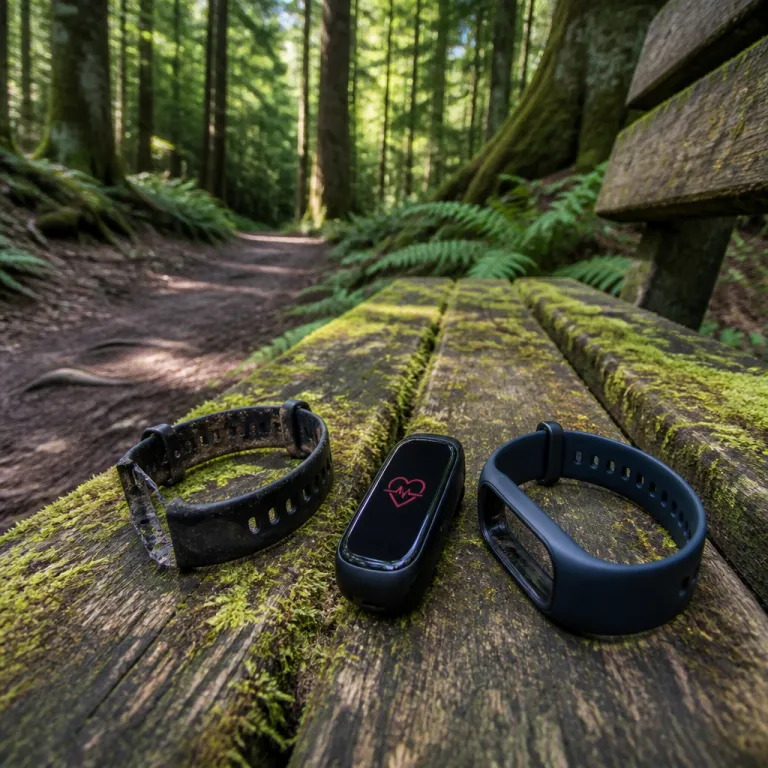
Why third party bands can quietly wreck heart rate accuracy
Heart rate accuracy with replacement watch bands lives or dies on physics. Your watch needs its optical heart rate sensor pressed evenly against the wrist, because that is how the green LEDs and photodiodes read blood volume changes. When that pressure changes with time, every workout and every resting heart rate trend becomes less trustworthy.
On an Apple Watch or any other fitness watch, the sensor is a tiny PPG (photoplethysmography) module that expects consistent contact with the skin, not a loose bracelet that flaps during a workout. When a user swaps the original band for a cheap metal mesh or a soft, stretched silicone band, they often introduce micro gaps that let light leak under the case and confuse the rate monitor. The result is a heart rate trace that looks fine at low effort but shows sudden drops, spikes, or flat lines exactly when your effort level climbs.
Apple calibrates the official Sport Band and Sport Loop so that normal clasp tension gives enough pressure without choking skin perfusion. Apple’s own support articles explain that the watch should sit snugly, flat on the top of the wrist, with the back of the case touching the skin at all times. Many third party bands copy the look but not the curvature, so the flat underside can rock on the wrist bone and break contact during a run or a strength workout. If you care about heart rate based training zones, VO2max estimates, or the way your workout app awards level points for time in each zone, that rocking motion quietly downgrades every data point.
Materials that help your sensor, and those that hurt it
Not every non original band is a problem for optical heart rate tracking. Solid silicone or fluoroelastomer bands that match the original thickness and curve usually keep the heart rate sensor stable on the wrist, as long as the user chooses the right hole and avoids wearing it like a loose bracelet. Properly fitted leather bands can also work well, because they do not stretch much over time and they distribute pressure evenly around the wrist.
Metal mesh and link bracelets are where heart rate accuracy often falls apart, especially on an Apple Watch with its curved sensor window. The gaps between links can sit directly over the sensor, letting in stray light and reducing skin perfusion exactly where the rate monitor needs a clean signal. If you insist on a metal option, look for designs that keep a solid plate under the sensor and learn how to use a stable Zulu style strap for fitness tracking rather than a loose fashion bracelet.
Nylon and fabric bands feel comfortable, but they absorb sweat and can twist during a workout, which shifts the watch away from the flattest part of the wrist. That movement makes optical readings especially fragile during interval training, when your effort level changes quickly and the workout app tries to keep up. If you notice that your heart rate jumps from 110 to 180 and back while your breathing barely changes, the band material and fit are usually the first suspects.
Wear and tear: when your original band stops doing its job
Even the best original band slowly undermines sensor reliability once it stretches, cracks, or loses its shape. Silicone and fluoroelastomer soften with sweat, heat, and daily flexing, so a band that fit snugly last season can feel floppy now, especially on a smaller wrist. That slack lets the watch bounce during a run or a HIIT workout, and the heart rate graph starts to show gaps or sawtooth patterns instead of smooth curves.
On an Apple Watch, the official Sport Band is tuned for a fresh, slightly firm fit that balances comfort and skin perfusion, but after many months the holes can oval out and the pin can shift under load. When that happens, the rate monitor loses contact for a second, then regains it, which your workout app records as implausible spikes or sudden drops in heart rate. If you see repeated “no reading” messages or your average heart rate seems 10 beats lower than expected at the same effort level, the band has probably reached the end of its reliable life.
Garmin’s QuickFit system and similar connectors from other brands keep the watch body stable, but they cannot fix a strap that has stretched or cracked. Learning how to adjust or remove links from a watch band safely helps maintain the right tension as your wrist size or training load changes. The key is to treat the band as a consumable part of your setup, not a permanent accessory, because worn bands quietly turn good sensors into unreliable storytellers.
How to test your own band for heart rate reliability
You do not need a lab to check how well your strap supports accurate readings on your own wrist. Start with a simple step test on stairs or a brisk walk, watching how quickly your heart rate climbs and whether the numbers track your breathing and perceived effort. If the rate monitor lags badly, freezes, or jumps in big chunks, the band fit is usually to blame rather than the watch itself.
Next, try a short interval workout where you alternate one minute of fast effort with one minute of easy recovery, using your usual workout app on the Apple Watch or another watch. A good band keeps the heart rate curve smooth, with clear peaks and valleys that match each interval, while a poor band produces jagged lines and flat segments where the sensor lost contact. Repeat the same test with the band one notch tighter and one notch looser, because the right user level of tension often sits just before discomfort but never at the point where skin perfusion feels compromised.
Finally, compare readings from the watch to a chest strap for a few sessions, especially if you train by heart rate zones or care about level points in your fitness app. Peer reviewed studies that compare wrist based PPG sensors with ECG chest straps typically find average differences of about 2–5 beats per minute at steady effort, with larger errors during sprints or rapid changes in pace. When your band fit is dialed in, the average heart rate for a run should sit within roughly 5 beats of the chest strap, even if individual seconds differ. If you see consistent gaps of 10 beats or more at steady effort, the problem is almost always the band, not some mysterious sensor flaw.
Apple Watch quirks, user reports, and what support threads really show
Apple Watch owners generate a huge trail of forum posts about optical heart rate problems, and those threads reveal clear patterns. A typical poster describes a problem where the heart rate looks fine at rest but collapses during a run, then another member replies with a link to their own story showing the same issue. When you read through an entire discussion history, you often see that the only change before the problem appeared was a switch from the original Apple Watch Sport Band to a cheap third party band.
In many discussions, an experienced contributor walks through the same checklist that Apple Support would use, asking about wrist placement, skin tone, tattoos, and workout type. One response might point out that the Apple sensor works correctly when the user tightens the band by one hole, while another case shows that replacing a stretched band fixes the issue completely. Those replies often earn community points, because they highlight how real world experience with different bands matters more than any single software update.
When someone posts a link to Apple Support documentation, the official guidance usually echoes what careful testers already know about skin perfusion and sensor contact: keep the watch away from the wrist bone, avoid bands that shift during a workout, and treat the band as a critical part of the heart rate system. If you want a different look without sacrificing data, consider stable accessories such as a secure pendant holder for a tracker, as shown in this necklace style silicone case test, and always retest your heart rate after any change.
FAQ
How tight should my watch band be for accurate heart rate readings ?
Your band should be snug enough that the watch does not slide on the wrist during normal movement. Aim for firm contact without leaving deep marks on the skin after a workout. If you can easily spin the watch around your wrist, it is too loose for reliable heart rate tracking.
Are metal bands always bad for heart rate accuracy ?
Metal bands are not always bad, but many designs are risky for optical sensors. Mesh and loose link bracelets often create gaps that let light leak under the watch, which confuses the sensor. Solid metal designs with a continuous plate under the case can work if you keep them properly sized and stable.
How often should I replace my watch band for best data quality ?
Most silicone or rubber bands start to stretch noticeably after several months of daily wear, especially with heavy sweating. Replace the band when you need to tighten it more than one extra hole to stop movement or when cracks and stiffness appear. Treat the band like running shoes, a consumable that quietly shapes performance and comfort.
Can a third party band void my watch warranty ?
Using a third party band usually does not void the watch warranty by itself, because the band is considered an accessory. However, if a poorly made band breaks and the watch is damaged in a fall, that damage might not be covered. Choose reputable brands and check that the connectors lock securely into the watch body.
Why does my heart rate drop to unrealistically low numbers during runs ?
Sudden drops to very low heart rate values during steady running almost always indicate a sensor contact problem, not a real change in your physiology. A loose or shifting band lets the watch read motion or ambient light instead of blood flow. Tighten the band, move the watch slightly up the forearm, or switch to a more stable strap and retest.